How Do You Choose the Best Label Printing Software?
23rd Jan 2026
Key Highlights
-
Label printing software designs, manages, and prints accurate, professional labels fast.
-
It improves efficiency, accuracy, and compliance across all business operations.
-
Choose tools with custom design, barcode, RFID, and ERP integration features.
-
Cloud access and cross-platform use enable easy remote collaboration.
-
Top picks include BarTender, NiceLabel, ZebraDesigner, DYMO Connect, and Brady Workstation.
-
It also supports wire and tube labeling for durable, compliant identification.
-
DuraFast offers high-performance thermal transfer printers and expert support for seamless labeling.
Behind every smooth warehouse, compliant shipment, or organized production line is a reliable labeling system.
With so many software options available, finding the right one is critical to improving efficiency, reducing errors, and maintaining compliance across operations.
In this guide, we'll help you navigate the essential features in label printer software. From industrial label printing software to solutions for wire label printing software, we’ll break down the best options for businesses of all sizes.
Let’s explore the key features to look for and the top software options that can transform your business’s labeling operations.
What Is Label Printing Software & Why Does It Matter?
A warehouse team prepares hundreds of product boxes daily, each needing a barcode, batch code, and shipping label. Without automation, errors and delays are inevitable. Label printing software connects directly to their inventory system, instantly generating accurate, compliant labels for every order.
It’s a powerful tool that helps businesses design, print, and manage labels efficiently, from price tags and barcodes to compliance stickers.
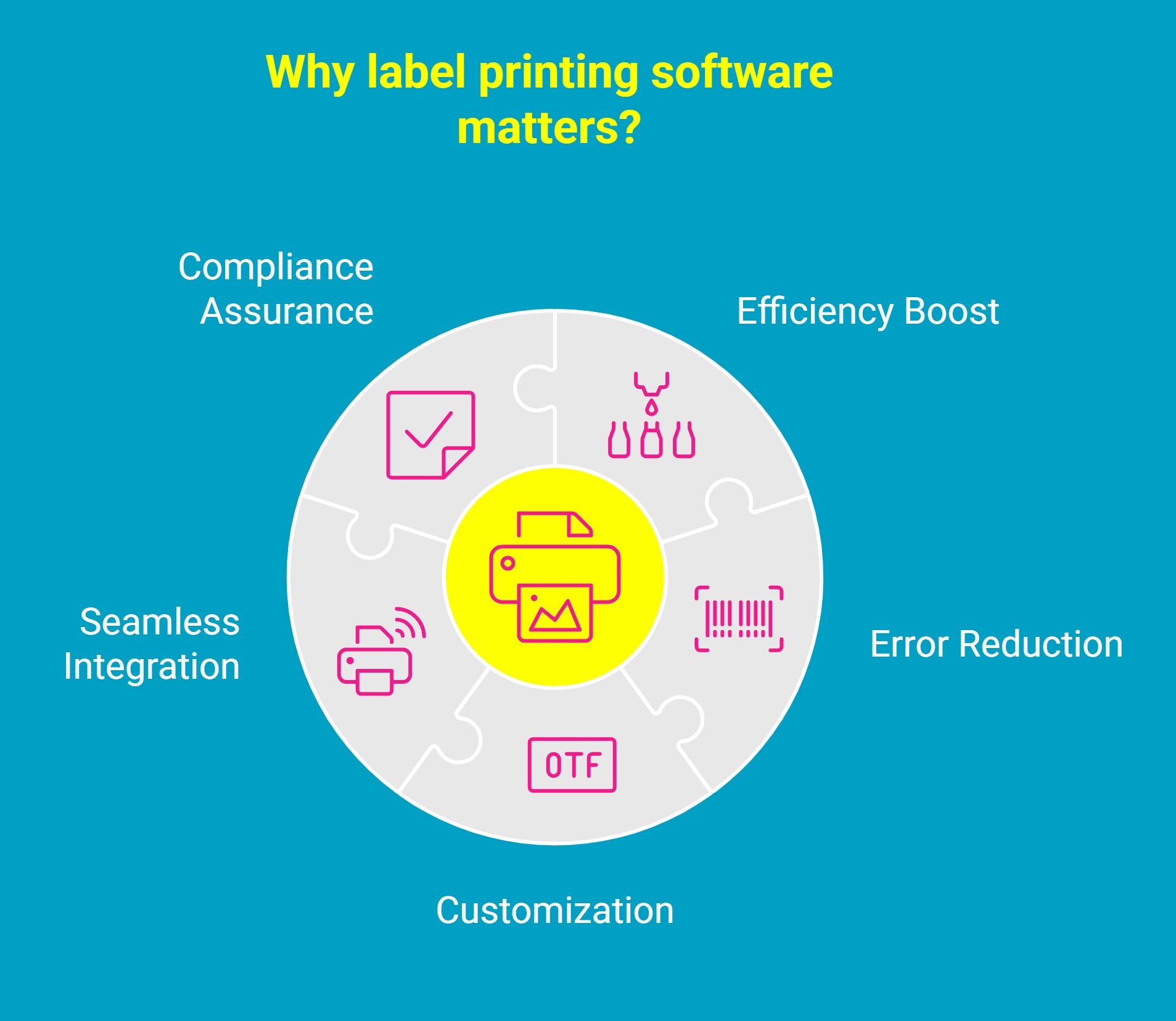
So, why does it matter? The right label printing software boosts efficiency, reduces errors, and ensures compliance. Here's how:
-
Efficiency Boost: Gone are the days of manually creating labels in tools like Microsoft Word. Modern software automates the printing and design process, saving your business valuable time.
-
Error Reduction: By eliminating human error, the software ensures every label is correct, with no more incorrect addresses or missing barcodes.
-
Customization: Whether you need customizable designs for product packaging or barcodes for inventory, the software gives you full control over layout and branding.
-
Seamless Integration: It works with most hardware setups, from laser printers to thermal and RFID-compatible devices, ensuring uninterrupted operation.
-
Compliance Assurance: Especially for industries with strict regulations, label printing software ensures that your labels meet legal requirements and industry standards.
Investing in the right label printing software means investing in precision, speed, and reliability. It ensures your operations run smarter, your teams work faster, and your business communicates quality with every label it produces.
What Features Should You Look for in the Best Label Printing Software?
Selecting the right label printing software is essential for improving your business’s labeling operations. With so many options available, knowing what features to prioritize can make all the difference.
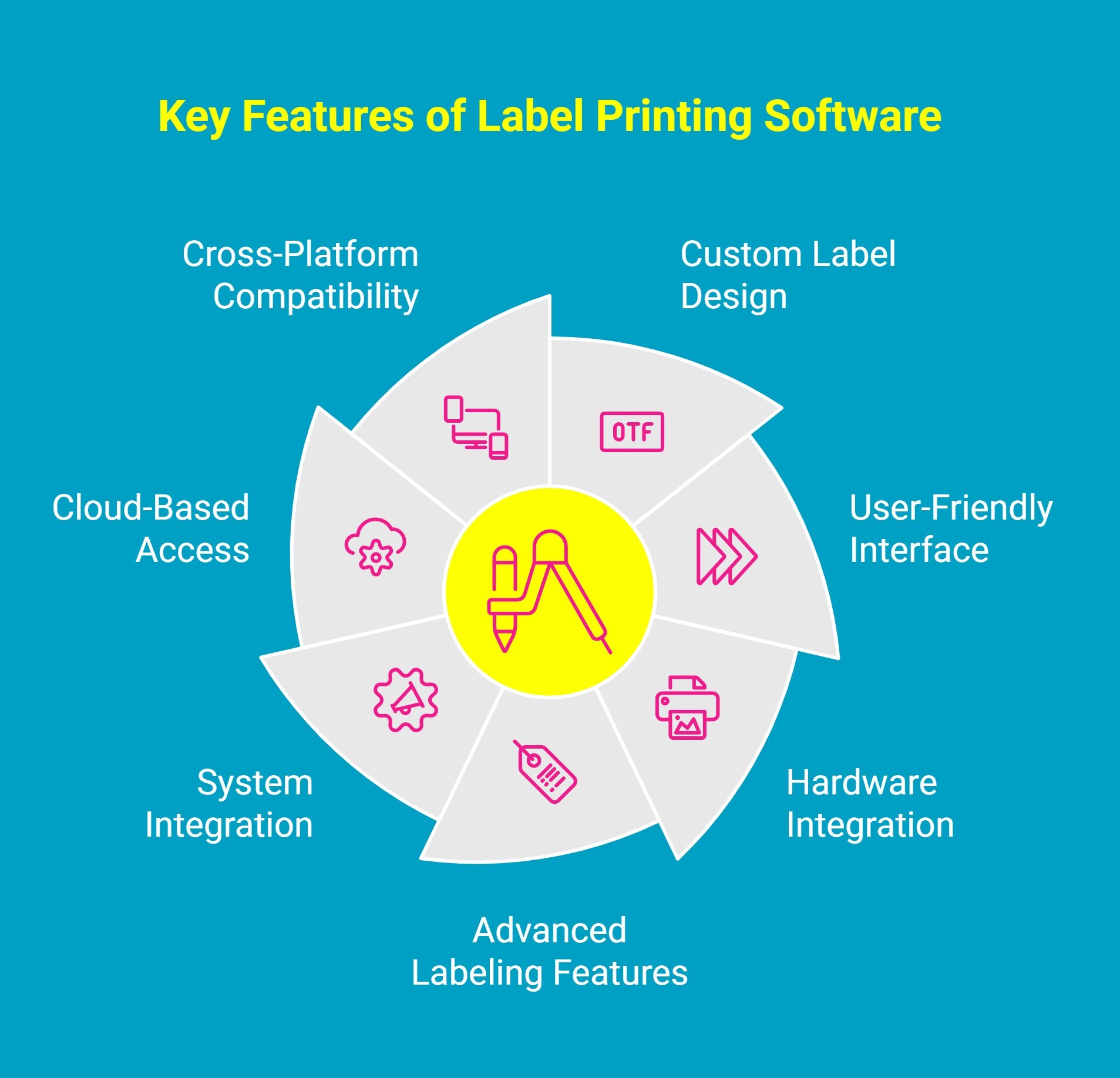
Here’s a deeper look at the key features to look for:
1. Create Custom Labels with Ease
A powerful label printing solution should allow you to design labels that fit your exact needs. Look for software that offers flexible design tools, such as the ability to add logos, barcodes, and custom text.
Whether you’re printing shipping labels, product labels, or safety tags, the software should give you full control over the layout, size, and content of your labels.
2. User-Friendly Interface for Fast Results
The best solutions balance flexibility with simplicity. Features like simple drag controls, intuitive menus, and a template library make label creation quick, even for beginners without technical expertise.
3. Integrate Seamlessly with Your Business Systems
An effective label printing platform should connect directly with your ERP, MES, or inventory management systems.
Automated data imports eliminate repetitive manual entry, reducing the risk of labeling errors and ensuring product, batch, and shipping information remains accurate. This integration enables real-time label generation, so your production and logistics teams can print on demand without interrupting the workflow.
4. Power Features for Advanced Labeling
Look for specialized capabilities such as RFID and variable data printing for CSV files, batch processing, and multi-language support. These tools make it easy to meet the demands of industrial and regulated environments.
These features are especially useful if you work in regulated industries or need to print labels in large quantities quickly.
5. Ensure Full Compatibility with Your Printing Hardware
Software and hardware must work together for efficient, uninterrupted labeling. Choose software that supports your existing thermal, barcode, and industrial label printers, whether they are high-volume floor models or compact desktop units.
Broad hardware compatibility ensures consistent output quality across different printers and locations, allowing your labeling system to scale easily as your operations grow.
6. Flexibility with Cloud-Based Access
Cloud-enabled digital screens make it easy for teams across multiple locations to access the latest templates and print remotely. It also simplifies backups and updates automatically.
With cloud support, you can access your label designs and printing software from anywhere, ensuring that your team has access to the latest label templates and designs. It also simplifies backup and updates, as everything is stored in the cloud.
7. Cross-Platform Compatibility
Whether your business uses manufacturing label printing software for PC or label printing software for Mac, it’s important to choose software that works across different operating systems.
Some businesses may need to operate in diverse environments, so having a solution that supports both platforms ensures smooth compatibility across your team.
Investing in the right label printing software means investing in efficiency and consistency across your entire operation.
When labeling becomes faster, smarter, and more reliable, every shipment, product, and process benefits from that precision.
What Are the Top Label Printing Software Options for Businesses?
Choosing the right label printing software depends on your business size, industry, and labeling requirements. While some solutions suit high-volume enterprises, others are ideal for smaller operations.
Consider factors like design quality, free trial availability, and customer support team before deciding. Below are some leading options to guide your choice.
1. BarTender by Seagull Scientific
BarTender by Seagull Scientific is a leading name in industrial label printing software, built for businesses that value speed, precision, and compliance. It offers advanced tools for label design, automation, and data integration, making it ideal for large-scale manufacturing, logistics, and healthcare operations.
With BarTender, you can easily create professional, data-driven labels with barcodes, QR code generation, and variable information. Its automation features minimize manual work, ensuring every label is accurate, consistent, and compliant.
Why Businesses Choose BarTender:
-
Powerful automation for high-volume, continuous printing.
-
Compliance-ready templates for industries like food, pharma, and manufacturing.
-
Flexible design tools that support custom layouts, branding, and variable data.
How BarTender Works Seamlessly with the Zebra ZD621d Printer
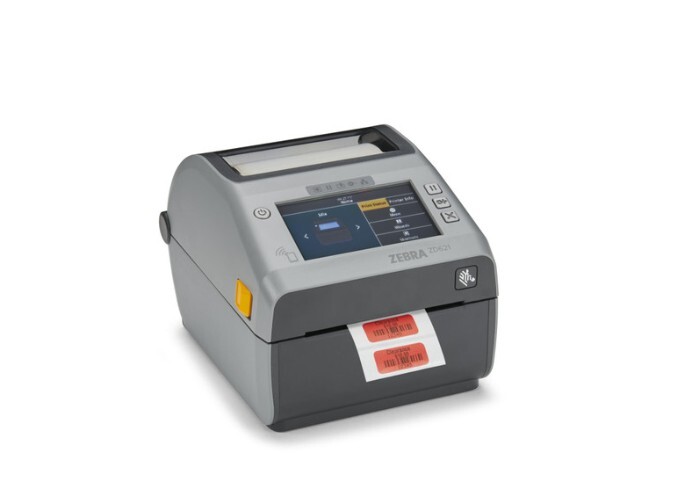
Pairing BarTender with the Zebra ZD621d 4" 300 dpi Direct Thermal Desktop Label Printer creates an efficient, high-precision labeling setup. Together, they deliver speed, clarity, and reliability, perfect for businesses managing large printing volumes.
Here’s how BarTender and the Zebra ZD621d work together to deliver professional-quality results:
-
Sharp, professional output: BarTender’s design tools fully utilize the ZD621d’s 300 dpi resolution, producing clear text and barcodes every time.
-
Fast, reliable performance: The printer’s 8 ips print speed complements BarTender’s automation, ensuring quick and consistent label production.
-
Easy connectivity: With USB, LAN, and Bluetooth options, setup is simple, and print jobs run smoothly.
-
Flawless compatibility: BarTender’s native Zebra drivers ensure accurate formatting and eliminate layout errors.
With BarTender and the Zebra ZD621d working in sync, you get a smart, efficient labeling solution that delivers professional-quality results every time.
2. NiceLabel
NiceLabel is a flexible and intuitive label printing software built for businesses that value efficiency and consistency. It’s ideal for mid-sized manufacturers and logistics operations that need centralized label management, automation, and real-time database integration.
With NiceLabel, you can design and print labels quickly while ensuring every print is accurate, compliant, and on-brand. Its modern interface and connectivity features make it easy to manage labeling across teams and locations.
Why Businesses Choose NiceLabel:
-
Centralized control to manage label templates across departments.
-
Database connectivity for real-time, data-driven labels.
-
Easy-to-use interface with drag-and-drop design tools.
-
Scalable solution suitable for both growing and enterprise-level operations.
How NiceLabel Works Seamlessly with the Epson ColorWorks CW-C6500A Printer?
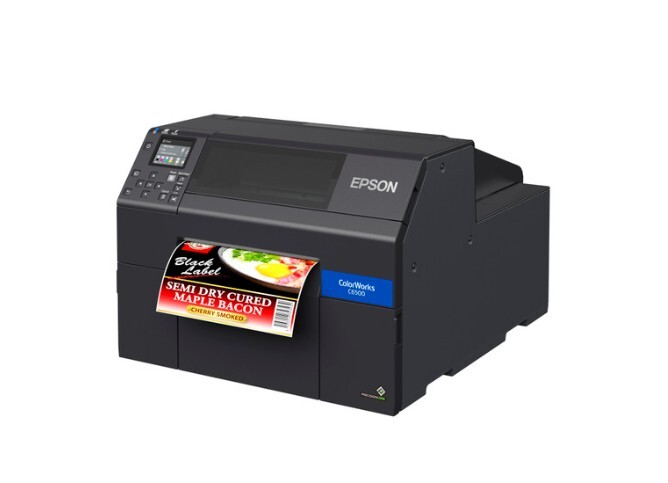
When paired with the Epson ColorWorks CW-C6500A, NiceLabel delivers full-color, high-quality labels with impressive precision and consistency. This combination is perfect for businesses upgrading from black-only thermal printers to professional, durable color labeling.
Here’s how they work together effectively:
-
Vivid, detailed output: NiceLabel’s design tools leverage the CW-C6500A’s 1200 dpi resolution to produce crisp, vibrant color labels.
-
Effortless integration: The printer’s support for ZPL II and ESC/Label languages allows NiceLabel to connect without system reprogramming.
-
Smart automation: Remote management and I/O control features align perfectly with NiceLabel’s centralized platform for smooth, high-volume production.
-
Flexible label creation: The CW-C6500A’s auto cutter and wide media range make it easy to print variable-length and custom-sized labels.
-
Durability and compliance: Ideal for GHS BS5609-certified labels, ensuring your designs remain clear and compliant in harsh conditions.
Together, NiceLabel and the Epson CW-C6500A offer a professional, color-rich labeling solution that enhances brand presentation while maintaining speed, accuracy, and control.
3. ZebraDesigner
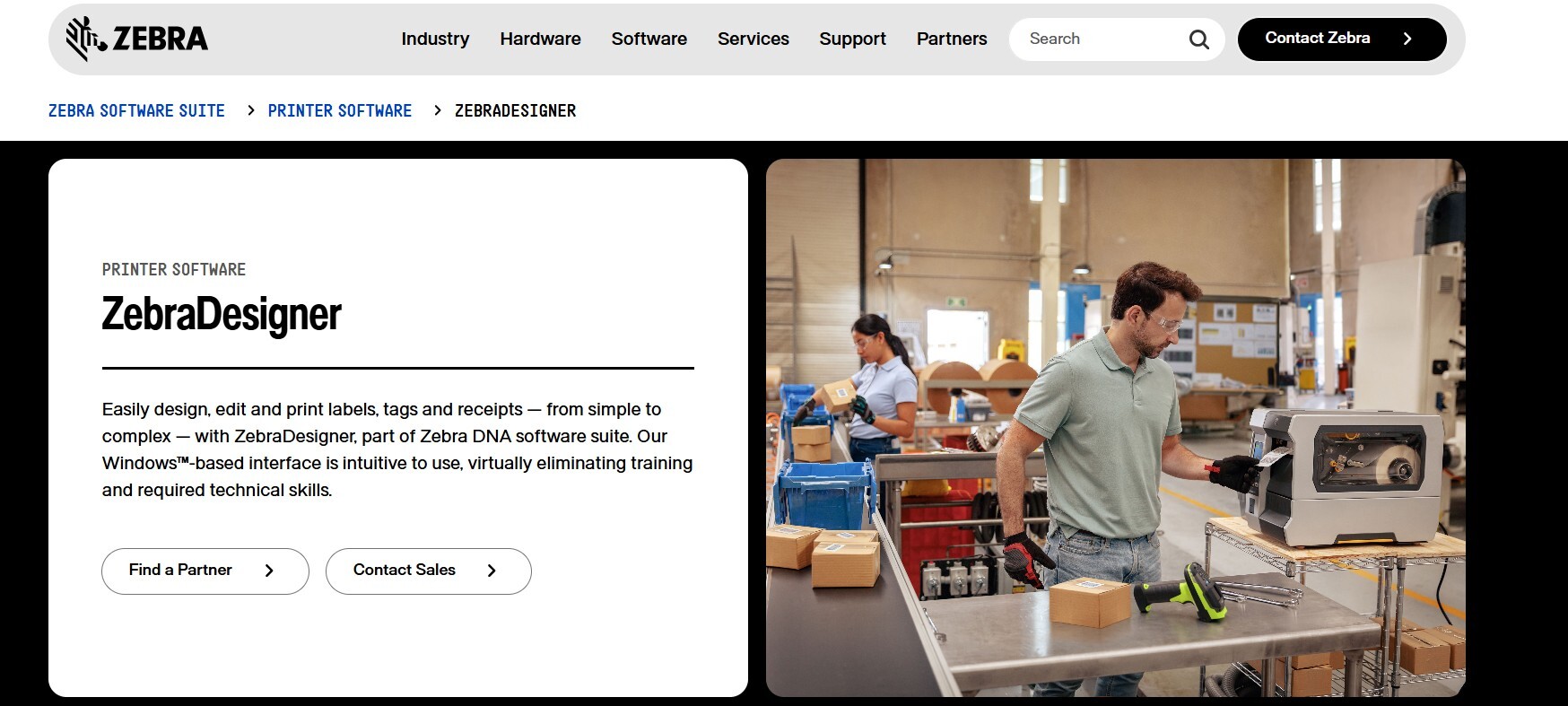
ZebraDesigner is a dedicated label printing software built to maximize the performance of Zebra printers. It’s ideal for businesses that need fast, reliable, and barcode-ready label production, especially in logistics, warehousing, and manufacturing environments.
The software offers an intuitive design interface and supports advanced barcode and RFID label creation with minimal setup.
Why Businesses Choose ZebraDesigner:
-
Optimized for Zebra printers ensuring top-tier performance and reliability.
-
Barcode and RFID support for supply chain and tracking applications.
-
User-friendly interface with easy design customization.
-
Strong integration with ERP and database systems for efficient workflow.
How ZebraDesigner Works Seamlessly with the Zebra ZT610 Printer?
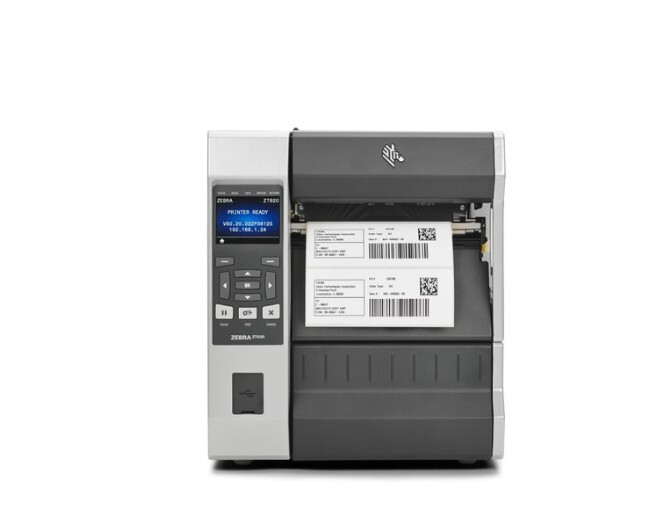
Pairing ZebraDesigner with the Zebra ZT610 6" Industrial Label Printer creates a high-speed, heavy-duty labeling system perfect for industrial environments that demand precision and durability.
Here’s how they work together for maximum efficiency:
-
High-speed, high-volume output: ZebraDesigner leverages the ZT610’s 12 ips print speed to handle continuous, large-scale labeling without interruptions.
-
Crisp, accurate printing: With 203 dpi resolution and thermal transfer technology, ZebraDesigner ensures every barcode, text, and graphic is sharp and compliant.
-
Seamless communication: ZebraDesigner’s built-in Zebra printer drivers allow for instant recognition, easy setup, and flawless print formatting.
-
Wide-format capability: The ZT610’s 6-inch print width is ideal for larger product, pallet, or compliance labels, fully supported by ZebraDesigner’s flexible layout tools.
-
Industrial durability: Together, they deliver consistent results even in demanding environments such as factories, warehouses, or production floors.
When combined, ZebraDesigner and the Zebra ZT610 offer an industrial-strength labeling solution that’s fast, reliable, and built for long-term performance, perfect for businesses that prioritize efficiency and accuracy in every print.
4. DYMO Connect
DYMO Connect is a lightweight, easy-to-use label printing software designed for small businesses, home offices, and mobile operations. It simplifies everyday labeling tasks such as file tagging, product labeling, and address printing while maintaining professional quality and consistency.
With its intuitive interface, DYMO Connect allows users to design labels quickly and print from multiple devices with minimal setup.
Why Businesses Choose DYMO Connect:
-
Simple setup and design tools that make label creation fast and effortless.
-
Mobile and desktop compatibility for flexible printing from various devices.
-
Supports variable data for easy personalization and dynamic label creation.
-
Lightweight and efficient software built for small-scale or mobile labeling needs.
How DYMO Connect Works Seamlessly with the Citizen CMP-25UZL Mobile Printer
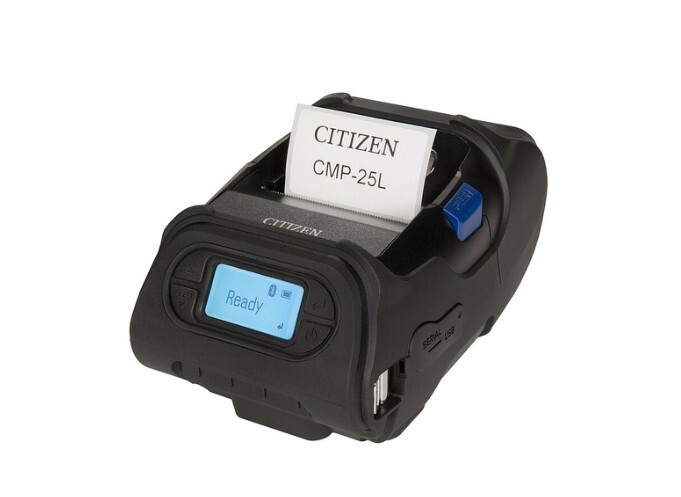
When paired with the Citizen CMP-25UZL Mobile Printer from DuraFast, DYMO Connect becomes a reliable solution for portable, on-demand label printing. This combination is ideal for retail, logistics, and field operations where mobility and efficiency matter most.
Here’s how they work together to deliver consistent results:
-
Portable performance: DYMO Connect’s compact, wireless functionality complements the CMP-25UZL’s lightweight design, enabling quick label printing wherever it’s needed.
-
Crisp and clear results: With 203 dpi resolution, the CMP-25UZL ensures that barcodes and text generated through DYMO Connect remain sharp and readable.
-
Fast and efficient printing: The printer’s 3 ips speed matches DYMO Connect’s streamlined workflow, making it easy to handle multiple small-label tasks in seconds.
-
Seamless connectivity: DYMO Connect’s mobile printing capabilities has perfect alignment with the CMP-25UZL’s USB and ZPL support, ensuring smooth data transfer and instant printing.
-
Flexible use cases: From receipts and shipping labels to quick product tags, this pairing delivers professional-quality results for businesses on the move.
Together, DYMO Connect and the Citizen CMP-25UZL provide a compact yet capable labeling solution that combines portability, performance, and ease of use, making it ideal for fast-paced mobile business environments.
5. Brady Workstation
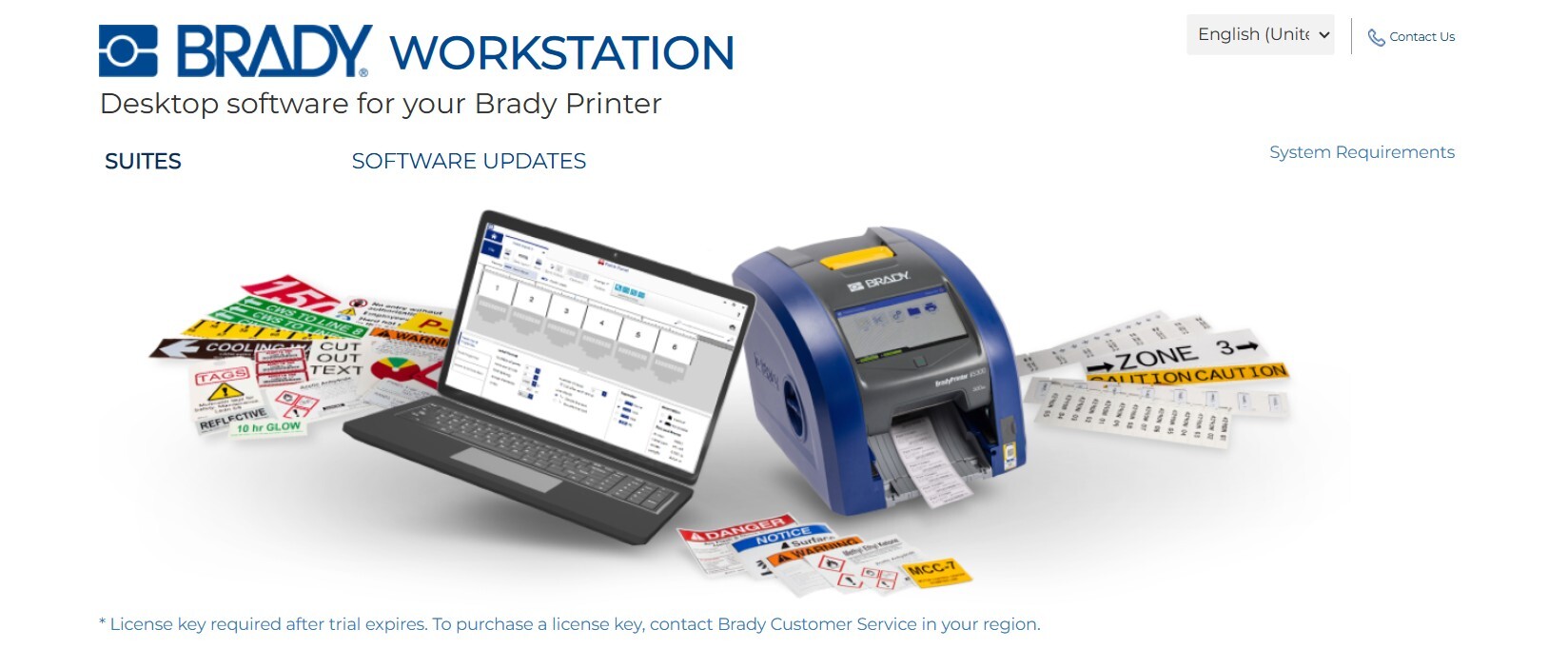
Brady Workstation is a specialized label printing software built for industrial labeling tasks such as wire, tube, and safety identification. It is widely used in manufacturing, electrical, and construction industries where clarity, durability, and compliance are essential.
With modular apps that allow users to add only the tools they need, Brady Workstation offers flexibility while maintaining a professional and intuitive interface.
Why Businesses Choose Brady Workstation:
-
Modular design that lets users choose specific labeling apps for their needs.
-
Built-in compliance features for OSHA, ANSI, and other safety standards.
-
Powerful customization tools for wire, cable, and industrial tag creation.
-
Simple, intuitive interface suitable for both new and experienced users.
How Brady Workstation Works Seamlessly with the Citizen CMP-20IIUZ Mobile Printer?
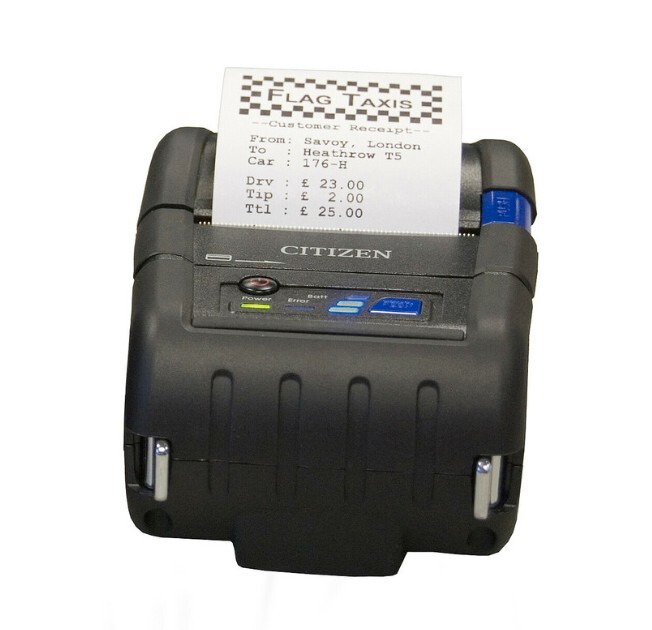
When paired with the Citizen CMP-20IIUZ Mobile Printer from DuraFast, Brady Workstation delivers fast, portable, and precise labeling ideal for on-site and field use. This combination is perfect for technicians and engineers who need reliable labeling wherever the job takes them.
Here’s how they work together to enhance efficiency and accuracy:
-
Compact and portable performance: Brady Workstation’s easy-to-use interface complements the CMP-20IIUZ’s mobile design, allowing users to create and print labels directly at the job site.
-
Crisp, durable output: With 203 dpi resolution, the CMP-20IIUZ ensures every wire, safety, or identification label generated through Brady Workstation is sharp and easy to read.
-
Fast label printing: The printer’s 3 ips speed works well with Brady Workstation’s streamlined workflow, making it simple to print multiple labels quickly in demanding environments.
-
Reliable connectivity: With USB and ZPL II support, the CMP-20IIUZ integrates seamlessly with Brady Workstation, ensuring smooth data transfer and consistent label formatting.
-
Versatile applications: Ideal for wire markers, tube labels, and field safety tags, this combination gives professionals a dependable way to produce durable, compliant labels on the go.
Together, Brady Workstation and the Citizen CMP-20IIUZ form a powerful mobile labeling solution that delivers precision, durability, and convenience for professionals who need accurate, on-demand printing in industrial settings.
Each of these label printing software options offers unique strengths, from high-volume automation to portable field use. Choosing the right one ensures consistent, compliant, and professional labeling that keeps your operations efficient and reliable.
How Does Label Printing Software Improve Industrial Labeling?
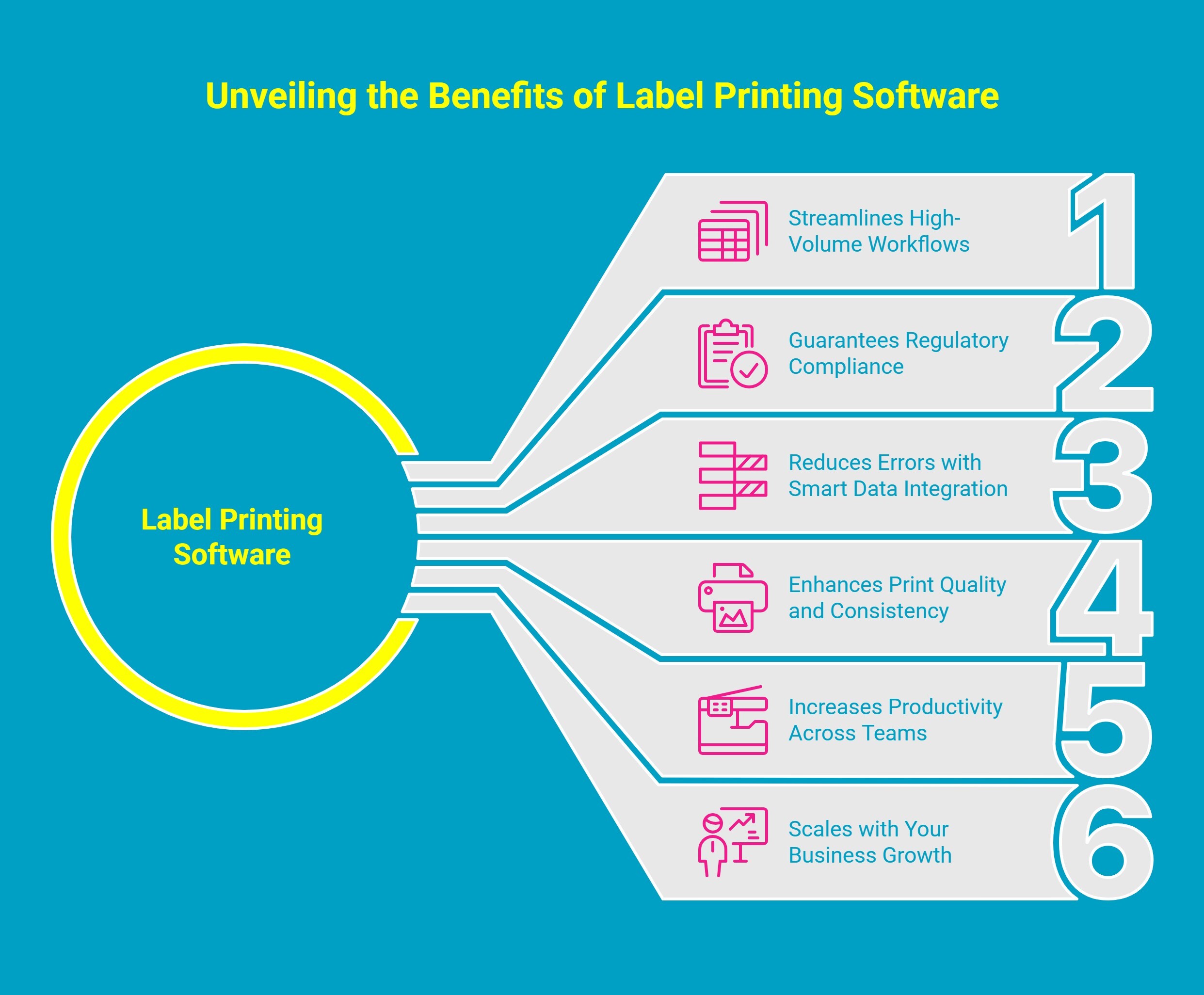
In industrial environments, labeling is not just about organization; it is about precision, compliance, and efficiency. Label printing software streamlines complex processes, helping businesses maintain consistency, reduce errors, and meet strict regulatory standards.
Here’s how label printing software elevates industrial labeling:
1. Automates High Volume Workflows
Industrial operations often generate thousands of labels daily across multiple production lines. Label printing software automates data entry, links directly with ERP or inventory systems, and supports batch printing. This eliminates repetitive manual tasks and ensures every label is produced accurately, on schedule, and in full alignment with operational requirements.
2. Reduces Human Error Through Smart Data Integration
Once labeling becomes automated, the next priority is accuracy. The software retrieves live data from existing databases, minimizing manual input and reducing the likelihood of duplication or mismatch errors. By automatically populating serial numbers, barcodes, and expiration dates, it strengthens traceability and improves reliability across the supply chain.
3. Ensures Regulatory Compliance
When labeling accuracy improves, compliance naturally follows. Advanced systems include built in templates that align with key standards such as GHS, OSHA, and ISO. These ensure that all required safety symbols, text sizes, and layout specifications meet global regulatory expectations, reducing audit risk and preventing costly production delays.
4. Enhances Label Quality and Visual Consistency
Precision labeling is more than data correctness; it is also about visual integrity. When paired with industrial grade printers, the software controls every print parameter including text clarity, barcode density, and color calibration so that each label remains sharp and legible even under heat, moisture, or chemical exposure. Consistent labeling across batches reinforces both safety and professional presentation.
5. Improves Team Productivity and Oversight
Centralized label management allows multiple teams to operate under unified standards. Supervisors can monitor print jobs, approve designs, and manage permissions in real time. Remote printer control and automated workflows reduce downtime, giving production teams more time to focus on output rather than manual supervision.
6. Scales Seamlessly with Business Growth
Finally, scalability ensures long term value. As production expands, label printing software adapts without requiring major system changes. Whether operating a single site or coordinating multiple global facilities, teams can standardize label templates, synchronize data updates, and maintain compliance across every location.
By integrating automation, precision, and compliance into a single platform, label printing software becomes more than a production tool.
It is a critical system for ensuring operational accuracy, regulatory confidence, and long term efficiency across every stage of industrial labeling.
Can Label Printing Software Be Used for Wire and Tube Labels?
Modern label printing software is built to handle specialized applications like wire, tube, and cable labeling with precision and flexibility. In industries such as electrical, telecommunications, and manufacturing, this capability ensures safe, organized, and compliant identification.
Here’s how it helps:
-
Supports various label types: Easily create wrap-around, self-laminating, or heat-shrink wire labels that match your specific wire diameters and materials, ensuring accurate identification in any setup.
-
Delivers durable results: Produce heat-, chemical-, and moisture-resistant labels that stay intact under demanding conditions, helping you maintain compliance with UL and RoHS standards.
-
Enables easy customization: Generate serial numbers, barcodes, and color codes directly from your data to simplify equipment tracking and improve visual organization.
-
Boosts speed and accuracy: Connect your database to automate label creation, reducing manual input errors and significantly cutting preparation time for large-scale labeling projects.
-
Empowers field technicians: Print labels instantly on-site using mobile printers like the Citizen CMP-20IIUZ, so your team can mark, verify, and install cables without returning to the workstation.
Together, these capabilities make the labeling system a reliable, end-to-end solution for professionals who need fast, accurate, and compliant identification across complex electrical, industrial, and field environments.
How to Choose the Right Label Printing Software for Your Business?
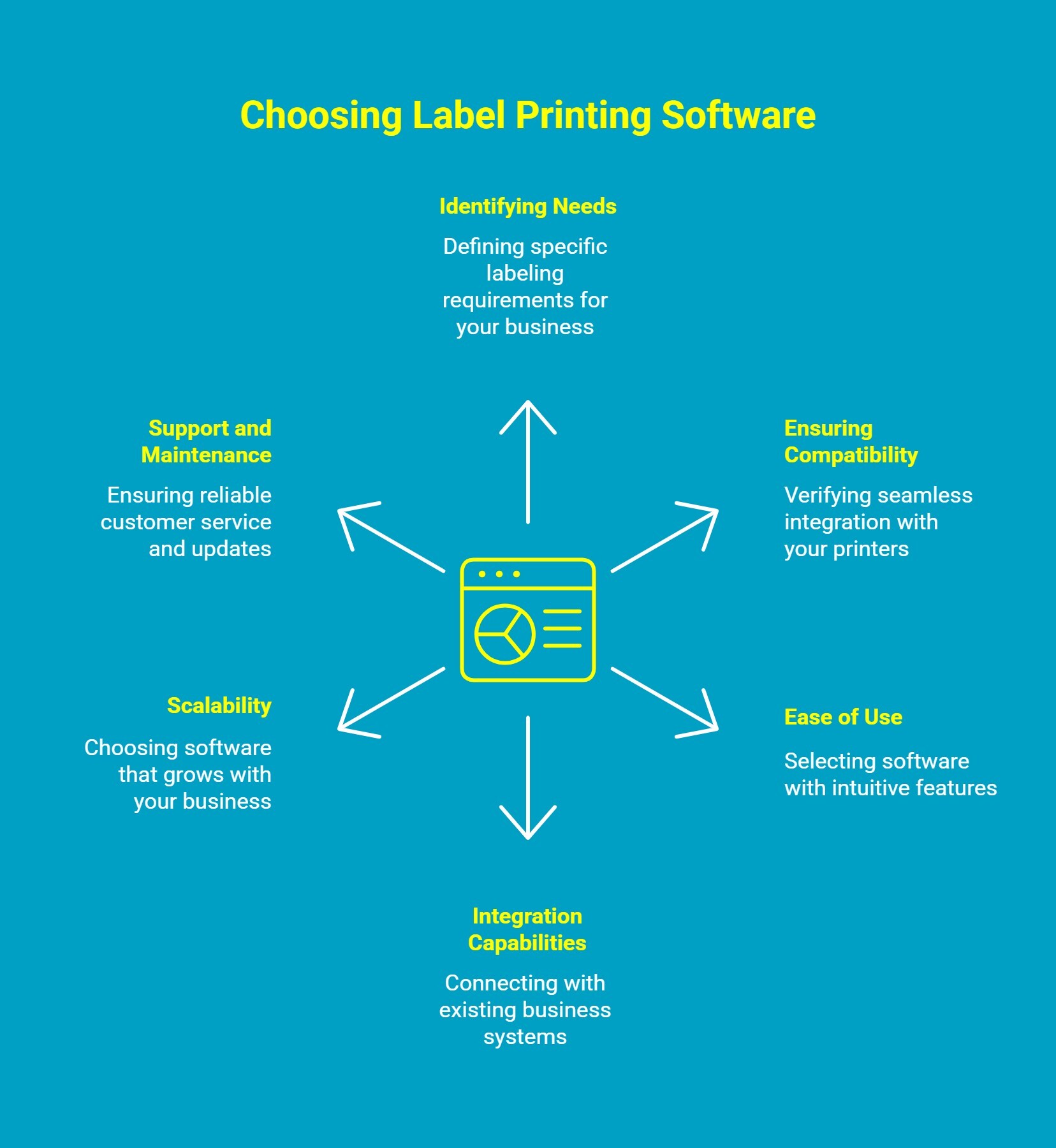
Selecting the right label printing software can make a significant difference in how efficiently your business operates. The best solution depends on your industry, labeling volume, and the type of printers you use. A well-chosen software not only streamlines workflows but also ensures accuracy, compliance, and long-term scalability.
Here’s what to consider when making your choice:
1. Identify What You Really Need
Start by defining your labeling goals. Do you need color printing, barcode labels, industrial-grade compliance labels, or wire identification? Understanding your exact requirements helps narrow down software that fits your workflow and printing environment.
2. Ensure It Works with Your Printers
Compatibility is key. Choose software that integrates seamlessly with popular brands like Zebra, Epson, or Citizen. A well-matched system ensures smooth connectivity, consistent performance, and precise label formatting across every print job.
3. Choose Software That’s Easy to Use
The best thermal label printer software doesn’t require a learning curve. Look for intuitive features like drag-and-drop tools, built-in templates, and preview options so your team can create and print labels efficiently without technical hassles.
4. Look for Smart Integration Capabilities
Opt for software that connects directly with your existing business systems such as ERP, WMS, or inventory management tools. This integration keeps your data accurate, reduces manual input, and automates label generation to save valuable time.
5. Pick a Right Solution That Grows with You
As your business expands, your labeling needs will too. Select a platform that can handle multiple printers, users, and locations without sacrificing speed or consistency. Scalable software ensures you stay efficient even as operations grow.
6. Check the Support and Maintenance Options
Reliable support can make a big difference in the long run. Choose software providers that offer responsive customer service, regular updates, and troubleshooting assistance to keep your labeling system running at peak performance.
By focusing on these aspects, you’ll be able to select label printing software that not only meets your current needs but also supports your business growth, ensuring every label is printed with accuracy and efficiency.
Why Choose DuraFast for Your Label Printing Solutions?
Struggling with inconsistent label quality, printer compatibility issues, or slow production speeds? That’s where DuraFast Label Company makes all the difference. As a trusted provider of professional label printers and supplies, DuraFast helps businesses overcome common labeling challenges with reliable, high-performance solutions.
From compact desktop printers to industrial and mobile models, DuraFast offers equipment that works seamlessly with leading label printing software like BarTender, NiceLabel, ZebraDesigner, DYMO Connect, and Brady Workstation.
Here’s why businesses choose DuraFast:
-
Extensive product range covering every labeling need from office to industrial use.
-
Seamless compatibility with top software for smooth, error-free printing.
-
Outstanding print precision that delivers crisp, long-lasting labels every time.
-
Dedicated support team to guide you in selecting the right hardware and supplies.
With DuraFast, you get more than just printers; you get a reliable labeling partner that helps your business print smarter, faster, and with total confidence.
Ready to upgrade your labeling process? Contact DuraFast today
Conclusion
Every great system begins with a smart decision. Labeling might seem like a small part of your operations, but it has the power to shape how efficiently your business runs. The right software turns labels from simple tags into tools for clarity, compliance, and connection.
As technology continues to evolve, so should the way you label. This is your opportunity to modernize your process, eliminate inefficiencies, and build a labeling system that grows with your business.
Frequently Asked Questions
What is label printing software used for?
Label printing software helps design, manage, and print labels efficiently. It allows businesses to create product, barcode, or shipping labels with ease, ensuring accuracy, consistency, and professional results for any labeling need.
Can I use label printing software on both PC and Mac?
Yes, many label printing software options work on both PC and Mac. Always review system requirements before purchase to confirm compatibility and ensure the design tools support your preferred file types.
What is the best software for industrial label printing?
The best industrial label printing software, like Brady Workstation, ensures durability and compliance. It includes barcode tools, industry templates, and integration with thermal printers for reliable, high-quality labels in demanding environments.
Can I design custom labels using software?
Yes, most label software includes customizable templates and design tools. You can add logos, barcodes, and text to create unique, branded labels that match your business needs.
Which software do you use for package designing?
Popular tools like Adobe Illustrator and label design and printing software are commonly used for package design. They offer precision, flexibility, template selection and advanced features to create professional, brand-consistent packaging layouts ready for print.
What program do I need to print labels?
You can use label design software such as BarTender, NiceLabel, or DYMO Connect. These programs help design, customize, and print labels efficiently for products, shipping, and inventory management.
Does Microsoft Office have a label template?
Yes, Microsoft Word includes built-in label templates that can be customized for address, shipping, or software for printing labels for wires applications using the “Mailings” tab and Avery-compatible layouts.
Does Adobe Express offer efficient tools for creating and printing labels?
Yes, Adobe Express offers efficient tools for creating and printing labels. It provides customizable templates, easy drag-and-drop design features, and high-quality export options, making it ideal for quick, professional label creation without needing advanced design skills.