What's the Secret Behind Thermal Transfer Printing?
22nd Jan 2026
Key Highlights
-
Thermal transfer printing uses heat to melt ribbon ink onto labels for durable, sharp prints.
-
It produces smudge-resistant labels that last in heat, moisture, and heavy handling.
-
Thermal transfer uses ribbons; direct thermal works on heat-sensitive paper for short-term labels.
-
Wax, resin, and wax-resin ribbons affect print quality and durability.
-
Common issues include faded prints, smudges, ribbon jams, and unreadable barcodes.
-
Regular maintenance and proper ribbon choice prevent print problems.
-
DuraFast supplies ribbons and specialty labels for reliable, long-lasting prints.
Label failures can disrupt entire operations, whether it is a barcode that will not scan, a product tag that smears in transit, or an inventory label that fades in storage. In industries where accuracy and traceability matter, poor labeling is not just inconvenient; it leads to delays, compliance issues, and unnecessary costs.
That is why more businesses are turning to thermal transfer printing, a reliable heat-based technology that produces sharp, long-lasting labels built to withstand moisture, friction, and temperature changes.
In this guide, you will discover what thermal transfer printing is, how it works, and how it compares to direct thermal printing. You will also learn how to choose the right ribbon, troubleshoot common printing issues, and find trusted printer options that fit your workflow.
What Is Thermal Transfer Printing?
Thermal transfer printing is a smart, heat-based method for creating long-lasting labels, tags, and barcodes. Instead of using ink, a thermal transfer printer uses a ribbon coated with wax, resin, or a combination of both.
Heat from the printer’s head melts the coating and transfers it onto the label surface to create a permanent image.
When the printer’s printhead heats up, it melts the wax or resin coating on the ribbon. The melted material bonds tightly to the label surface, producing a crisp, durable print that resists fading, smudging, and everyday wear.
Simply put, thermal transfer printing gives you professional-quality results that last. It’s perfect for environments where labels have to stand up to heat, moisture, and heavy handling, like warehouses, labs, and retail operations.
How Does the Thermal Transfer Printing Process Work?
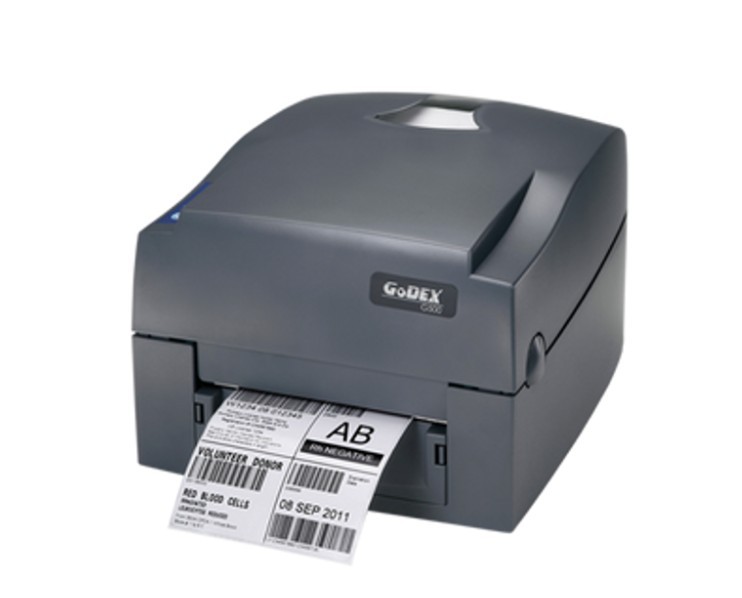
The thermal transfer printing process uses heat and a coated ribbon to create long-lasting, high-quality prints. It’s a simple yet reliable method that delivers durable results for product labels, barcodes, and tags.
Here’s how it works step by step.
1. Setting the Stage: Ribbon Meets Label
In a thermal transfer ribbon printer, two materials are loaded: the ribbon and the label roll. The ribbon is coated with wax, resin, or a combination of both, depending on the type of label you need.
It sits between the printer’s thermal printhead and the label material. As the label moves through the printer, the ribbon moves along with it, ready for the transfer process to begin.
2. The Printhead Heats Up
Inside the printer, the thermal printhead is made up of thousands of tiny heating elements. When a label is printed, these elements heat up in a precise pattern that matches your text, barcode, or logo. The level of heat applied depends on the ribbon type and label material.
This accurate control of temperature ensures that thermal transfer printing technology produces sharp, consistent results every time.
3. The Ink Transfers to the Label
As the heated printhead presses the ribbon against the label, the coating on the ribbon melts and fuses with the label surface. This is the key step in the thermal transfer printing process.
The melted material quickly cools and forms a permanent bond, creating a durable, smudge-resistant thermal transfer print that won’t fade easily, even under heat, moisture, or rough handling.
4. Continuous Printing in Motion
Once the image is transferred, the used section of ribbon winds onto a take-up spool while a fresh section moves into place. This continuous motion keeps the process smooth and efficient.
It allows label thermal transfer printers to handle large batches of labels without slowing down, making them ideal for fast-paced industries like logistics, retail, and healthcare.
In essence, thermal transfer printing combines heat, precision, and durable materials to create labels that last far longer than those made with ordinary printers.
Now that you know how it works, let’s compare it to its closest alternative: direct thermal printing.
Thermal Transfer Printer vs Direct Thermal Printer: Key Differences You Need to Know
Thermal transfer printing and direct thermal printing may sound similar, but they operate very differently. Both rely on heat, but only thermal transfer uses a ribbon, and that difference affects durability, print quality, and ideal applications.
If you’re trying to decide between thermal transfer or direct thermal printing, here’s a simple comparison.
|
Feature |
Thermal Transfer Printer |
Direct Thermal Printer |
|---|---|---|
|
Printing Method |
Uses a ribbon coated with wax, resin, or a wax-resin mix that melts onto the label. |
Uses heat-sensitive paper that darkens when the printhead applies heat. |
|
Durability |
Extremely durable and resistant to heat, light, moisture, and chemicals. |
Less durable; prints can fade or darken over time, especially in heat or sunlight. |
|
Print Quality |
Produces sharp, long-lasting prints ideal for barcodes, tags, and asset labels. |
Best for short-term labels like receipts or shipping labels. |
|
Supplies Used |
Requires a ribbon and label material. |
Requires only heat-sensitive labels (no ribbon). |
|
Maintenance |
The ribbon protects the printhead, reducing wear and extending printer life. |
The printhead wears faster since it’s in direct contact with the label. |
|
Cost Efficiency |
Slightly higher upfront cost due to ribbons but more cost-effective for long-term labels. |
Lower short-term cost but higher maintenance and replacement expenses. |
|
Ideal For |
Long-term labeling in manufacturing, healthcare, logistics, and retail. |
Short-term applications like receipts, tickets, and shipping labels. |
The choice comes down to durability versus convenience. For long-lasting, tough labels, thermal transfer wins. For short-term or temporary labels, direct thermal works fine. Knowing the difference ensures you pick the right printer for your needs.
Thermal Transfer Ribbons: Why They Matter for Durable Labels?
If you’ve ever wondered why some labels last for years while others fade in days, the secret often lies in the thermal transfer printing ribbons.
These ribbons are thin strips coated with wax, resin, or a mix of both that carry the “ink” for your labels. Without them, a thermal transfer label printer would not be able to produce the sharp, durable prints it is known for.
Ribbons come in three main types, each suited to different applications
-
Wax Ribbons are the most affordable and work well for paper labels used indoors or for short-term labeling
-
Resin Ribbons offer maximum durability, resisting chemicals, heat, and UV exposure, making them ideal for industrial or outdoor labels
-
Wax-Resin Ribbons provide a balance of quality and flexibility, perfect for labels that need moderate durability but still need to look sharp
Choosing the right ribbon matters because it directly affects the thermal transfer print quality and longevity. A mismatch can result in smudging, poor adhesion, or reduced barcode readability.
In short, your ribbon is not just a consumable; it is the key to consistent, long-lasting results from your thermal transfer printing technology.
How Thermal Transfer Printing Makes Labels Last?
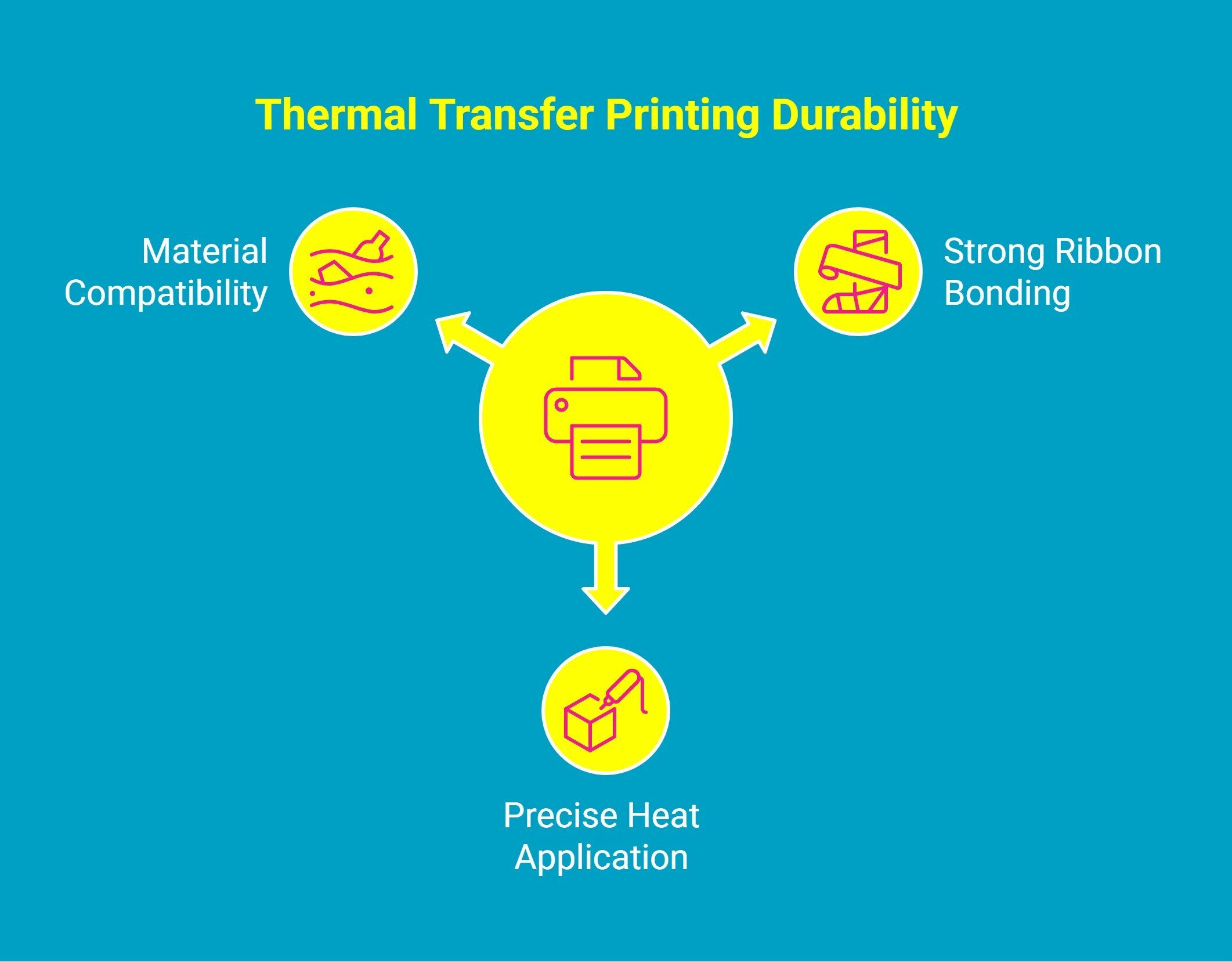
If you need labels that last, thermal transfer printing delivers. Unlike regular ink that wears off over time, thermal transfer labels stay sharp and smudge-free through daily use, saving you time and frustration.
The durability comes from three main elements:
1. Strong Ribbon Bonding
The wax, resin, or wax-resin coating on the ribbon melts when the printhead applies heat. This fuses the material directly to the label surface, forming a print that resists smudging, scratching, and fading.
2. Precise Heat Application
The thermal printhead applies heat in a controlled pattern. This ensures every dot of the ribbon material transfers accurately, producing sharp, consistent images and barcodes without gaps or streaks.
3. Compatibility With Tough Materials
Thermal transfer printers can work with a wide range of labels, from standard paper to synthetic and industrial materials. When the right ribbon is paired with the right label, the print can survive heat, moisture, chemicals, and constant handling.
Together, these factors make thermal transfer prints highly reliable. Businesses in logistics, manufacturing, and healthcare depend on this technology because it ensures every label remains readable, accurate, and professional throughout its life.
Common Thermal Transfer Printing Problems and How to Fix Them

Even the most reliable thermal transfer printers can run into problems. Here are some of the most common thermal transfer printing problems and quick fixes to keep your labels looking sharp and lasting longer.
1. Faded or Light Prints
Labels appear faint or incomplete. This often happens when the printhead temperature is too low, the ribbon is worn out, or the ribbon type is not compatible with your label material. Faded prints can make barcodes unreadable and reduce the professional look of your labels.
Quick Fix: Increase the printhead temperature slightly and make sure the ribbon is fresh. Always check that the ribbon type matches your label material. Print a test label before running a large batch to ensure the output is crisp and consistent.
2. Smudged or Streaky Prints
Smudges, streaks, or uneven prints appear on labels. This can occur if the ribbon is misaligned, the label material shifts during printing, or the printhead has dust or residue. Streaky prints reduce readability and can make barcodes fail scanning.
Quick Fix: Reinstall the ribbon properly, ensuring it is aligned with the label. Clean the printhead regularly with recommended cleaning supplies to remove dust or debris. This keeps the print sharp and smooth every time.
3. Ribbon Wrinkling or Jamming
The ribbon wrinkles, creases, or jams in the printer. This interrupts printing and can damage labels, waste materials, and slow down your workflow.
Quick Fix: Check the ribbon installation and make sure the tension is correct. Replace any damaged or creased ribbon rolls before printing. Always feed the ribbon evenly to prevent jams during high-volume printing.
4. Barcodes Not Scanning Properly
Barcodes fail to scan, causing errors in inventory, shipping, or retail operations. This usually happens when the print resolution is too low, the ribbon and label material are incompatible, or the barcode size is too small.
Quick Fix: Use the correct ribbon type for your label material, increase the print resolution, and test a sample barcode before printing large batches. A proper ribbon and label combination ensures barcodes are sharp and scannable every time.
5. Printhead Wear or Damage
Over time, the printhead wears out, leading to inconsistent print quality, missing dots, or faint areas on labels. Using a damaged printhead can cause frequent errors and higher maintenance costs.
Quick Fix: Clean the printhead regularly with manufacturer-recommended supplies. Follow the maintenance schedule for your printer and replace the printhead at the first sign of wear or damage. A well-maintained printhead ensures reliable, consistent prints over the printer’s lifespan.
By addressing these common thermal transfer printing problems with the right quick fixes, you can keep every label clear, durable, and professional, saving time and avoiding costly mistakes.
Which Thermal Transfer Printers Work Best for Businesses?
Choosing the right thermal transfer label printer can make a big difference in print quality, speed, and reliability. Whether you’re running a small business or managing a warehouse, the right printer ensures your labels stay sharp, durable, and professional.
Here are some of the top models businesses trust in 2025:
1. Godex G500 4" Thermal Transfer Barcode Printer, 203 dpi, 4 ips
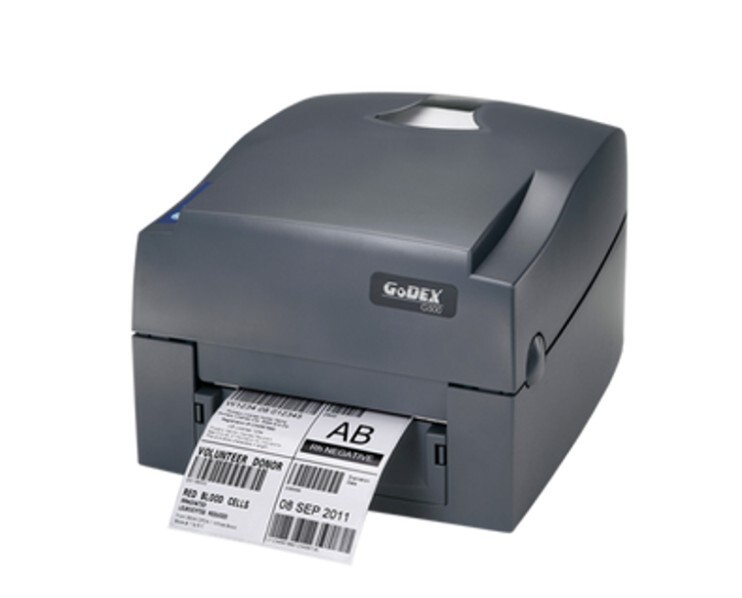
The Godex G500 is a compact yet powerful 4-inch thermal transfer barcode printer designed for industrial, retail, transportation, and other business applications. It prints at 203 dpi with a speed of 5 inches per second, offering high-quality labels and barcodes quickly. Twin-sensor technology allows it to handle a variety of specialty label materials, making it versatile for different use cases.
Why Businesses Love the Godex G500:
-
Versatile Labeling: Supports label rolls up to 5 inches in diameter and ribbons nearly 1,000 feet long, accommodating both standard and specialty materials.
-
High Compatibility: Works with a wide range of label sizes, printing up to 4.25 inches wide and 68 inches long.
-
Compact & Lightweight: Weighing just 5.5 pounds, it fits neatly on desks, manufacturing lines, reception areas, or checkout counters.
-
Connectivity Options: Includes USB, serial, and Ethernet ports for easy connection to computers or networks.
-
Built-In Memory & Fonts: 8 MB Flash memory, 16 MB SDRAM, resident bitmap and TrueType fonts, plus a wide selection of 1D and 2D barcode formats. Additional fonts and graphics can be downloaded.
-
Free Software: Comes with GoLabel software for simple design and printing of labels and barcodes.
Its combination of speed, versatility, and compact design makes the Godex G500 a dependable choice for businesses that need durable, high-quality barcode labels in a variety of environments.
2. Zebra ZD411t 2" Wide 203 dpi, 6 ips Thermal Transfer Label Printer USB/BTLE5 | ZD4A022-T01M00EZ
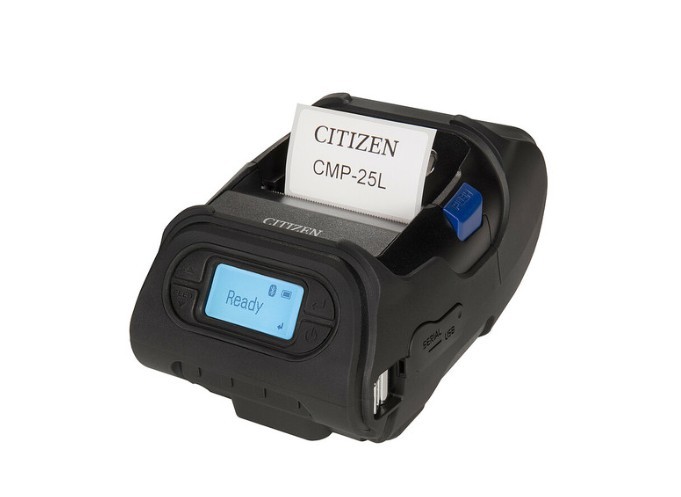
The Zebra ZD411t is a compact 2-inch thermal transfer desktop printer built for businesses that need high-quality, fast, and reliable thermal transfer label printing
With a print resolution of 203 dpi and a speed of 6 inches per second, it produces sharp labels quickly. Its small footprint makes it ideal for offices, retail counters, and healthcare or logistics setups where space is limited.
Why Businesses Love the Zebra ZD411t:
-
Fast and Efficient: Prints labels at 6 inches per second, perfect for high-turnover applications.
-
Compact Design: Small desktop size allows it to fit comfortably on counters, workstations, or shipping desks.
-
Multiple Connectivity Options: Includes USB and Bluetooth Low Energy (BTLE5) for flexible integration with computers and mobile devices.
-
Reliable Thermal Transfer Printing: Produces durable, smudge-resistant labels that withstand handling and environmental exposure.
-
Easy to Use: Simple ribbon and media loading ensures minimal downtime and smooth operations.
With its combination of speed, compact design, and flexible connectivity, the Zebra ZD411t is an excellent choice for businesses that need reliable, high-quality labels in a tight workspace.
3. SATO WWCLP1001-WAN CL4NX Plus + WLANThermal Transfer Industrial Printer
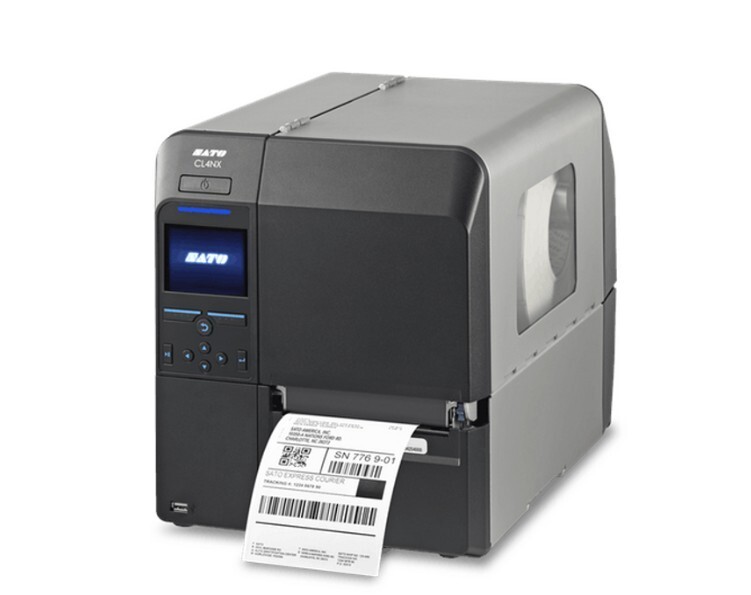
The SATO CL4NX Plus is a high-performance industrial thermal transfer printer designed for demanding business environments. With a print resolution of 203 dpi, a wide 4-inch print width, and an impressive speed of 14 inches per second, it delivers fast, reliable, and precise labels for warehouses, manufacturing, and logistics operations.
Why Businesses Love the SATO CL4NX Plus:
-
High-Speed Printing: Prints up to 14 inches per second, ideal for high-volume label production.
-
Industrial-Grade Durability: Built to withstand heavy-duty environments, including factories, distribution centers, and industrial workspaces.
-
Wide Label Compatibility: Supports 4-inch-wide labels, giving flexibility for a range of barcode, product, and shipping labels.
-
Reliable Thermal Transfer Technology: Produces long-lasting, smudge-resistant labels that remain readable even under harsh conditions.
-
Efficient Workflow Integration: Easy connectivity and industrial design make it suitable for high-throughput operations.
With its speed, durability, and wide-label capability, the SATO CL4NX Plus is a perfect choice for businesses that require robust, industrial-grade label printing without compromising on quality or efficiency.
4. Printronix T6000e 6-Inch Wide 203 dpi T6206 Thermal Transfer Printer | T6E2X6-1100-00
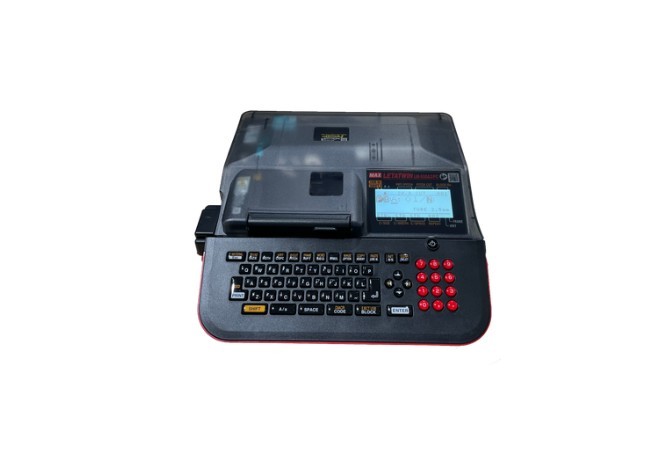
The Printronix T6206E is a high-performance 6-inch industrial thermal transfer printer built for large-scale, high-volume labeling needs. With a print resolution of 203 dpi and a speed of 12 inches per second, it produces precise, durable labels efficiently, making it ideal for manufacturing, logistics, and warehouse environments.
Why Businesses Love the Printronix T6206E:
-
High-Speed Printing: Prints up to 12 inches per second, allowing rapid production of labels for high-volume operations.
-
Industrial-Grade Durability: Designed to withstand demanding environments, ensuring reliable operation in manufacturing lines and distribution centers.
-
Wide Label Support: Handles 6-inch-wide labels for barcodes, product tags, and shipping labels, providing versatility across applications.
-
Thermal Transfer Reliability: Produces smudge-resistant, long-lasting labels that maintain readability even in harsh conditions.
-
Efficient Integration: Supports seamless workflow integration with industrial systems for continuous and smooth operations.
With its combination of speed, durability, and wide-label capability, the Printronix T6206E is an excellent choice for businesses that require robust, industrial-grade label printing without compromising on quality or performance.
5. Zebra ZD620t 300 dpi, 6ips Thermal Transfer Printer USB/LAN/ Cutter ZD62043-T21F00EZ
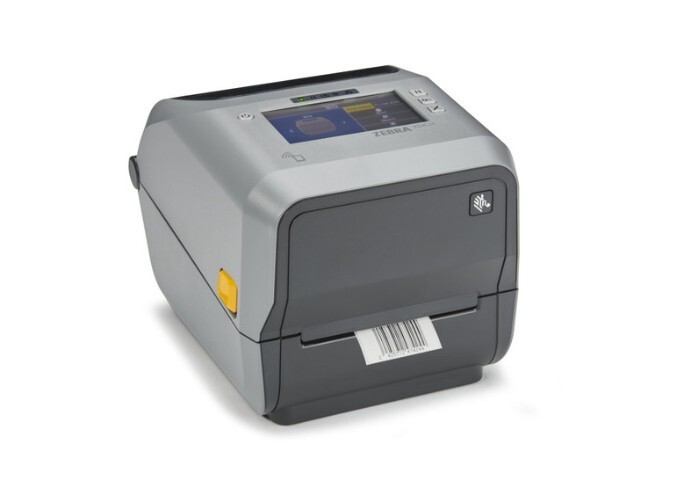
The Zebra ZD620t is a high-resolution desktop thermal transfer printer designed for businesses that require precise, durable labels. With a 300 dpi resolution, 4-inch print width, and speed of 6 inches per second, it delivers sharp, professional-quality labels ideal for retail, healthcare, and shipping applications.
Why Businesses Love the Zebra ZD620t:
-
High-Resolution Printing: 300 dpi ensures crisp text, detailed graphics, and clear barcodes for professional labeling.
-
Reliable Thermal Transfer Technology: Produces smudge-resistant, long-lasting labels suitable for indoor and moderate exposure environments.
-
Versatile Connectivity: Equipped with USB and LAN ports, plus a built-in cutter for convenience and flexibility.
-
Compact Desktop Design: Fits neatly on office desks, reception counters, or small shipping stations.
-
Efficient Label Handling: Supports a range of label sizes and media types for various applications.
With its combination of high resolution, reliable performance, and compact design, the Zebra ZD620t is perfect for businesses that need detailed, durable labels without compromising speed or efficiency.
DuraFast: The Solution to Smudged and Faded Labels
Nothing slows down operations faster than labels that fade, smear, or fail to scan. That is where DuraFast Label Company comes in. Their high-quality thermal transfer ribbons, specialty labels, and custom solutions ensure every print is sharp, durable, and reliable so your workflow stays smooth and your products look professional.
Why Businesses Rely on DuraFast?
-
All-in-One Solutions: Ribbons, labels, and accessories designed to work perfectly together
-
Built to Last: Weatherproof, chemical-resistant, and industrial-grade labels for tough environments
-
Custom Options: Labels tailored for compliance, shipping, or specialized applications
-
Trusted Across Industries: Healthcare, manufacturing, retail, and more rely on DuraFast
-
Fast and Reliable: Easy ordering, quick shipping, and support that keeps your printing running without hiccups
With DuraFast, you stop worrying about label failures and get consistent, professional-quality results every time.
Have questions or need help finding the perfect thermal transfer ribbons and labels for your business? Contact DuraFast today!
Conclusion
Labels are more than just stickers. They represent your brand, communicate vital information, and keep operations moving smoothly.
A label that lasts, scans perfectly, and stays readable under any condition can save time, prevent mistakes, and elevate the professionalism of your business. Every print is an opportunity to get it right.
Frequently Asked Questions
What is thermal transfer printing used for?
Thermal transfer printing is used for creating long-lasting labels and tags. Common applications include barcode labels for supply chain management, patient identification wristbands in healthcare, and product labeling.
What materials can thermal transfer printers print on?
Thermal transfer printers are very versatile and can print on a wide range of materials. This includes standard paper, glossy paper, and synthetic label material like polyester and polypropylene.
How long do thermal transfer ribbons last?
The lifespan of thermal ribbons depends on several factors, including the ribbon's length, the amount of ink coverage per label, and storage conditions. Resin ribbons last the longest against abrasion and high temperatures, while wax ribbons are more standard.
Does thermal transfer use ink?
Yes, thermal transfer printing uses a solid ink that is coated on thermal ribbons. This ink is typically made of wax, resin, or a combination of both. The printer's heated printhead melts the ink onto the label.
What is the lifespan of a thermal transfer print?
A thermal transfer print has a very long lifespan due to its exceptional durability. The prints are resistant to moisture, abrasion, chemicals, and extreme conditions.
How does thermal transfer printing work?
Thermal transfer printing works by using heat to transfer ink from a coated ribbon onto a label or tag. The printer’s heated printhead melts the ribbon material, bonding it to the surface to create sharp, durable, and long-lasting prints.
What types of labels are best suited for thermal transfer printing?
Thermal transfer printing works best with labels that need durability and long-lasting readability. This includes paper labels for shipping or inventory, synthetic labels for outdoor or industrial use, chemical-resistant labels, asset tags, and barcodes that must withstand heat, moisture, or handling.